


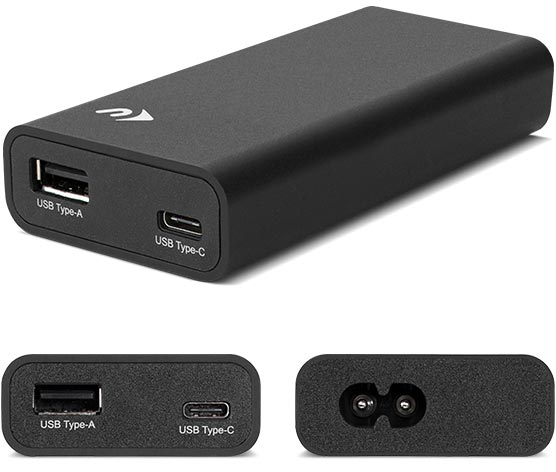
NuPower 60W USB-C Power Adapter
 This dual-port, compact, fast-charging adapter provides up to 60W of power to charge USB-C or Thunderbolt 3* equipped Macs, Chromebooks, or PCs, and also features a separate high-powered USB Type-A port for charging USB devices simultaneously.
- Fast charging with up to 60W of power
- Power USB-C / Thunderbolt 3 + USB devices
- Ideal replacement for Apple, Dell, Lenovo, HP and other USB-C laptop power adapters

Wireless Keypad

Precision machined aluminum housing with quick setup.
The NewerTech Wireless Keypad is the workhorse addition to a clutter-free, wireless workspace. A precision machined, aluminum housing design, with comfortable, wide-spaced island keys makes the NewerTech Wireless Keypad the perfect companion to the Apple wireless keyboard, laptops, iPhone, and iPad. only $54.95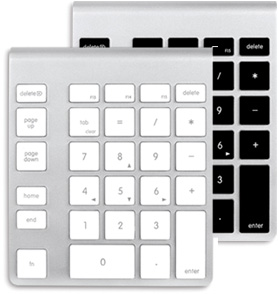
 The NewerTech Power2U AC/USB Wall Outlet is the convenient and energy-efficient in-wall solution for powering and charging USB devices.
- Two full-power USB ports to charge mobile devices
- Fully UL-listed
- NEC compliant tamper-resistant
- Easy DIY installation with OWC's step-by-step video guide
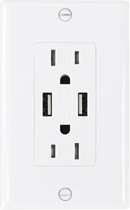 NEW 15 Amp
Universal fit only $29.99
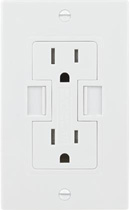 15 Amp
Power2U only $29.99
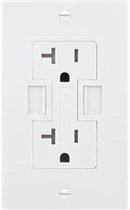 20 Amp
Power2U only $39.99
 for
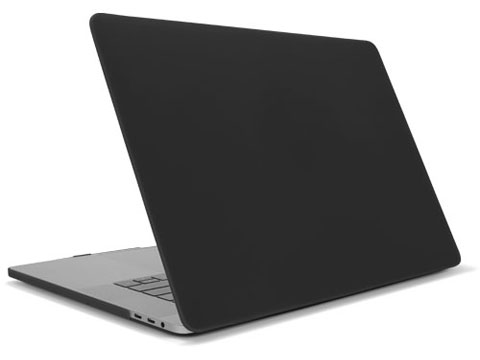
forMacBook Pro with Retina display
(Late 2016-Mid 2017)
MacBook (Early 2015-Mid 2017) from $39.95
 for
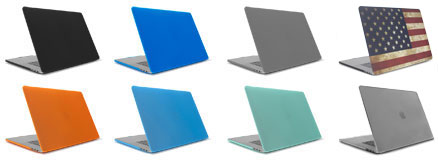
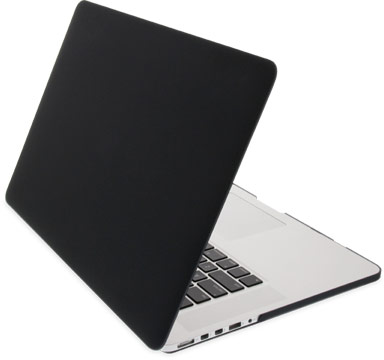
forMacBook Air (2015-2010)
MacBook Pro with Retina display (2012-2015) from $17.99
 Works with: Hard Drives, SSDs, and Optical Drives
 The "Swiss Army Knife" of Drive Connectivity.
The Ultimate Bare Drive Multi-Tool.
USB 3.0 & 2.0 only $44.95

 Take your adapter with
drive on the go!
only $3.99
 Silicone hard drive sleeve
2.5" hard drives only $6.79
3.5" hard drives only $9.79
Silicone hard drive sleeve
2.5" hard drives only $6.79
3.5" hard drives only $9.79


 Featuring a silky smooth surface texture for the fastest touch typing possible. Protects against key wear, food, dust and hair clogging.
Easy to clean too, just peel up from the keyboard, rinse under water, and dry.
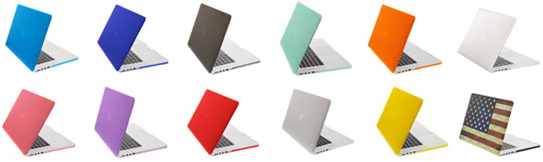
 For all 13"-15" MacBook Pro Retina
Comes in all 13 color options only $19.99
For MacBook Pro Retina 2012Comes in Black only $19.99
 For MacBook Pro
Comes in Black, White, Red & Pink only $17.99
 Add both personal style and protection to your MacBook Air with the NewerTech NuGuard Silicone Keyboard Cover. Featuring a silky smooth surface texture for the fastest touch typing possible, NuGuard Keyboard Cover protects against food, hair and dust clogging, and key wear.
 For MacBook Air 13"
Mid 2011 & later
Comes in all 13 color options only $19.99
 For MacBook Air 11"
Mid 2011 & later
Comes in all 13 color options only $11.99
For MacBook Air 13" 2010Comes in Black, White, Red & Pink only $11.99
For MacBook Air 11" 2010Comes in Black, White, Red & Pink only $11.99

Connect for Speed

High-bandwidth USB 3.0 performance and data rates up to 5Gb/s from your external drive with the NewerTech eSATA to USB 3.0 Adapter only $29.99
High-bandwidth USB 3.0 performance and data rates up to 5Gb/s from your external drive with the NewerTech eSATA to USB 3.0 Adapter only $29.99
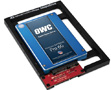
SSD Converter bracket

Experience the Solid State Drive speed advantage or reuse an existing notebook hard drive in your 3.5" drive bay equipped desktop Mac, PC, or external enclosure. only $21.99
Experience the Solid State Drive speed advantage or reuse an existing notebook hard drive in your 3.5" drive bay equipped desktop Mac, PC, or external enclosure. only $21.99

MAXIMIZE YOUR TECH INVESTMENTS
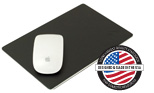
When it comes to your desktop, it's imperative your workstation is comfortable and fucntional. Nothing quite says style and class like the luxurious feel of leather with the NewerTech NuPad Leather mouse pads and keep light on the subject with a flexible neck aluminum led lamp.
NuGreen™ LED Desk Lamp
Energy-efficient and adjustable LED desk lamp
only $69.99
Energy-efficient and adjustable LED desk lamp
only $69.99
NuPad™ Leather mouse pad
Handcrafted from Brazilian leather with rubber underside
from $19.99
Handcrafted from Brazilian leather with rubber underside
from $19.99
NuPad™ Executive mouse pad
Handcrafted from Brazilian leather with rubber underside
from $24.95
Handcrafted from Brazilian leather with rubber underside
from $24.95
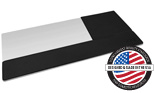
NuPad™ Organizer & Wrist Rest
The ultimate in workspace organization made from leather
only $49.95
The ultimate in workspace organization made from leather
only $49.95

NuMount Pivot

Ergonomic design allows positioning of display for maximum comfort, functionality
With its flexible extending and retracting neck, the NuMount Pivot lets you position and rotate however you see fit! Eliminate the strain on your neck and eyes by positioning your display to maximize comfort by utilizing its extension and tilt motion capabilities.The NuMount Pivot can even rotate 90 degrees to a vertical portrait view, so you can spend less time scrolling and more time reading.

NEW! Desk Mount for VESA Mounted Displays only $189.00

Wall Mount
for iMac, Apple Cinema Display
or Thunderbolt Display* only $159.00

Desk Mount
for iMac, Apple Cinema Display
or Thunderbolt Display* only $189.00


NuPad Base for Mac Pro
Introducing the NewerTech NuPad Base for Mac Pro.Never worry about it skating across your desk again. only $9.95
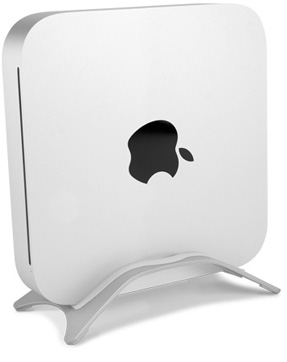

PROTECT YOUR MAC MINI AND SAVE DESK SPACE
Maximize your desktop workspace with one of NewerTech's Mac mini accessories. Reorient a mini into a vertical position, secure your mini with the non-skid rubber feet of the NuStand Alloy or elevate your monitor to an ergonomically proper viewing height with the NuStand mini XL.
-
 NuStand Alloy
For 2010 & later models from $24.99 -
 NuCube
For 2005-2009 models from $39.00 -
 NuClear
For 2005-2009 models from $24.95 -
 NuShelf
For 2005-2009 models from $27.99 -
 NuStand mini
For all models from $39.95 -
 NuCube Vertical
For 2010 & later models from $39.99 -
 NuStand mini XL
For Mac mini
(all models) & iMac from $49.95 -
 NuBracket
For pre-Mid 2010 models from $7.99 -
 NuShelf Mount
For 2010 & later models from $39.95 -
 NuShelf Mount (Dual)
For 2010 & later models from $44.95 -
 NuPad base
For 2010 & later models from $7.99
UTILITIES THAT MAKE THE MOST OUT OF YOUR COMPUTER
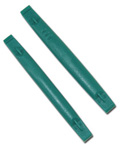
NYLON PRY TOOLS

The NewerTech 2-Piece pry tool kit is a pair of non-marring destructible nylon pry tools (a.k.a. "spudgers*) for opening iPods and other difficult-to-open but easy-to-scratch items. only $0.99
The NewerTech 2-Piece pry tool kit is a pair of non-marring destructible nylon pry tools (a.k.a. "spudgers*) for opening iPods and other difficult-to-open but easy-to-scratch items. only $0.99
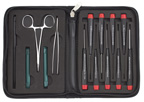
NYLON TOOLKIT

The 14-Piece Portable Toolkit is perfect for the technician on the go. The rugged, zippered woven nylon outer casing keeps your tools together in a small, convenient package, and the padded interior ensures your tools remain right where you left them. only $19.95
The 14-Piece Portable Toolkit is perfect for the technician on the go. The rugged, zippered woven nylon outer casing keeps your tools together in a small, convenient package, and the padded interior ensures your tools remain right where you left them. only $19.95
KEEP UP APPEARANCES

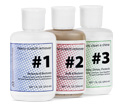
Remove scratches from your Apple® iPod®, iBook®, or any plastic surface with this 3 step plastic polish system. only $17.95
Remove scratches from your Apple® iPod®, iBook®, or any plastic surface with this 3 step plastic polish system. only $17.95
Electronic Device Repair

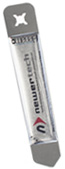
Unlike plastic spudgers, which are often too thick and only good for a single use, iSesamo's ultra-thin steel design allows for easy entry into microscopic seams and can be used over and over. It comes with a clear, flexible, rubber handle for maximum grip and precision handling as you work. only $9.99
Unlike plastic spudgers, which are often too thick and only good for a single use, iSesamo's ultra-thin steel design allows for easy entry into microscopic seams and can be used over and over. It comes with a clear, flexible, rubber handle for maximum grip and precision handling as you work. only $9.99
Durable Suction Cup

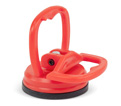
The 2.25" Suction Cup is made from durable hi-impact nylon that forms a positive grip on sheet metal, glass, plastic and other non-porous surfaces. only $9.95
The 2.25" Suction Cup is made from durable hi-impact nylon that forms a positive grip on sheet metal, glass, plastic and other non-porous surfaces. only $9.95
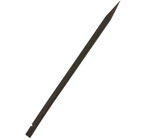
Disassemble with ease

The "Black Stick" opens Apple iPhone and iPods, Mac Laptops and Desktops as well as other electronic devices. 6" long, temperature resistant, glass-filled nylon tool. Will not scratch surfaces.
only $3.95
The "Black Stick" opens Apple iPhone and iPods, Mac Laptops and Desktops as well as other electronic devices. 6" long, temperature resistant, glass-filled nylon tool. Will not scratch surfaces.
only $3.95
Scratch free Microfiber

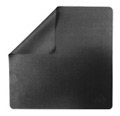
Superior cleaning and polishing without scratching. From iPods, to laptops, to home electronics, this handy, pocket-sized polish wipe is great for cleaning almost any surface. only $7.99
Superior cleaning and polishing without scratching. From iPods, to laptops, to home electronics, this handy, pocket-sized polish wipe is great for cleaning almost any surface. only $7.99
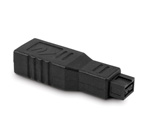
FireWire Adapter

Plug and Play your existing FireWire 400 digital devices to the latest FireWire 800 and USB 2.0 only computer models. Specially tapered design allows for easy connection of cables to adjacent ports.
only $9.95
Plug and Play your existing FireWire 400 digital devices to the latest FireWire 800 and USB 2.0 only computer models. Specially tapered design allows for easy connection of cables to adjacent ports.
only $9.95
Always Stay Connected

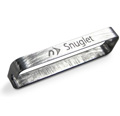
Increase the strength of the magnetic contact so your power cable stays connected with Snuglet MagSafe 2 Upgrade. only $19.00
Increase the strength of the magnetic contact so your power cable stays connected with Snuglet MagSafe 2 Upgrade. only $19.00
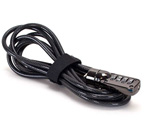
Confidence & Protection

Compatible with Kensington lock slots, this 6 foot braided steel cable with easy one-handed operation and a four-digit combination gives you peace of mind and keeps your technology safe.
only $19.99
Compatible with Kensington lock slots, this 6 foot braided steel cable with easy one-handed operation and a four-digit combination gives you peace of mind and keeps your technology safe.
only $19.99
Power Up Your Apple PowerBook G4 & iBook
-
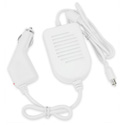 On the Go!
60 Watt Mobile Adapter
Auto Charger for PowerBook G4, iBook G4 & G3. Works with all models Powerbook G4 12/15/17 AL & Ti, Apple iBook G3/G4 (Dual USB) only $24.95 -
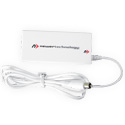 Stay Charged
65 Watt AC Power Adapter
65W AC Power Adapter(100 ~ 240v 50/60hz auto switching) for all models Powerbook G4 12/15/17 AL & Ti, Apple iBook G3/G4 (Dual USB) only $49.99
Networking
-
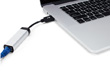 Extreme Speed
USB 3.0 to Gigabit Ethernet
Take advantage of the extreme speed, security, and stability offered by wired Gigabit Ethernet connections from any system with a USB 3.0 Port. only $29.99 -
 Wireless Speed & Versatility
Stick Adapter and Cradle
Use the wireless 802.11n/g/b stick adapter by itself or with the cradle base for optimum reception positioning. only $49.99